
What is ‘Shadow IT’?
Shadow IT refers to the various web tools informally in use within most organisations. These tools are often chosen without reference to IT or to management in general.
They are often used for all the very best reasons. Your colleagues have work to do, and these tools help them, so they get used. You might know about some because there is a subscription charge, but others might be free.
These tools can be anything from simply keeping lists of tasks to do, sharing information or managing workflows, providing newsletter lists, or recruiting staff. Its endless.
There’s all sorts of web pages out there that your people will be finding useful and will be using.

The question is, do you know what is being used on your behalf?
Even more importantly, do you know who’s got access to them? As your staff come and go, do you know to change passwords or reset user accounts to make sure that no one who has left you (maybe even gone to a competitor) is still able to access your confidential data?
Shadow IT is one of the largest threats to data privacy in organisations today. It’s not necessarily because these sites are going to be hacked, although it’s always possible, but it’s because if you don’t know the tools are in use, then there is no way that you can manage them!
The first step to maintaining this data is to identify them, and that’s why you need new tools that are cloud focused.
If you’re still using the same old security tools that you used prior to the cloud, then you are simply not keeping up and we need to talk!
Here’s a story about what happens if you don’t have this under control: Why you need to know all the cloud services that your organisation uses – IT Solutions and Managed Services (outsource.co.nz/)
Shadow IT is part of our 10-point cyber-security check list
While there is no single layer of technology that can guarantee you will be safe from hackers, you can reduce your risk by adding layers of protection. How many of our 10-point check list are in place for you?
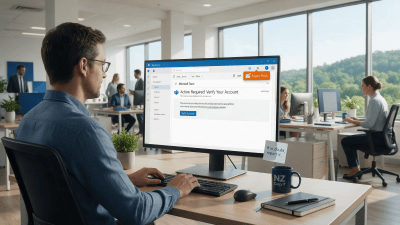
Fighting Back Against Phishing: A Report Button in Outlook
A one-click Phishing Report button is coming to Outlook for KARE Foundation clients. Why reporting beats deleting.
Webinar Replay: Your Staff Are Already Using AI. Now What?
A 30-minute webinar on the AI Maturity Model: where your business is with AI today and what to do next.

Protect Sensitive Information Before AI Surfaces It
Copilot makes oversharing easier to see. How Sensitivity Labels and Data Loss Prevention help protect sensitive information in Microsoft 365.
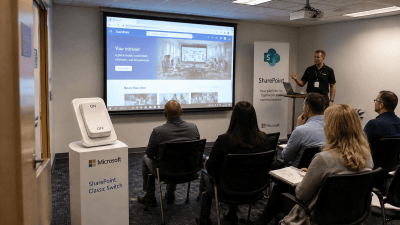
Classic SharePoint pages are being retired. Here’s what to do about it
Microsoft is retiring Classic SharePoint pages, Publishing sites and custom scripts. Here are the key dates and a practical plan to get ahead of it.

How We’re Using AI Inside Kinetics Group Today
Three practical AI tools we use every day, what is coming next, and how AI has changed the way we build software.

AI Is Moving Fast. Don’t Panic
Dramatic AI headlines are everywhere. Here is a calmer, practical way for businesses to think about AI.
Where Do Software Bugs Come From?
From a moth in the Harvard Mark II in 1947 to modern cloud apps: where software bugs come from and how they get caught.
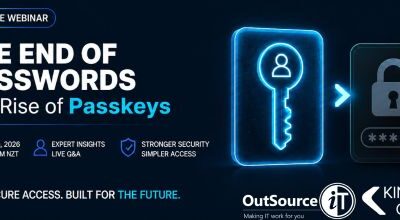
Webinar Replay: Passkeys Explained, the Simpler, Safer Way to Sign In
Bill Lunam and Garreth Keet explain passkeys, Microsoft’s retirement of SMS and voice MFA, and how to roll passkeys out in your business.

7 New Copilot Features That Quietly Changed the Game
Cowork, Coworker, Analyst, Researcher, agents, memory and Notebooks: seven newer Copilot features and how businesses can use them.
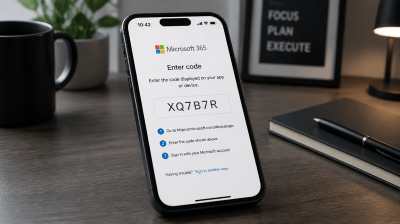
Device code sign-in: the Microsoft 365 attack that gets past MFA
Device code sign-in is convenient for Teams Rooms and smart TVs, but attackers now use it to get around MFA. Here’s how it works and what we’re doing about it.