
What is ‘Shadow IT’?
Shadow IT refers to the various web tools informally in use within most organisations. These tools are often chosen without reference to IT or to management in general.
They are often used for all the very best reasons. Your colleagues have work to do, and these tools help them, so they get used. You might know about some because there is a subscription charge, but others might be free.
These tools can be anything from simply keeping lists of tasks to do, sharing information or managing workflows, providing newsletter lists, or recruiting staff. Its endless.
There’s all sorts of web pages out there that your people will be finding useful and will be using.

The question is, do you know what is being used on your behalf?
Even more importantly, do you know who’s got access to them? As your staff come and go, do you know to change passwords or reset user accounts to make sure that no one who has left you (maybe even gone to a competitor) is still able to access your confidential data?
Shadow IT is one of the largest threats to data privacy in organisations today. It’s not necessarily because these sites are going to be hacked, although it’s always possible, but it’s because if you don’t know the tools are in use, then there is no way that you can manage them!
The first step to maintaining this data is to identify them, and that’s why you need new tools that are cloud focused.
If you’re still using the same old security tools that you used prior to the cloud, then you are simply not keeping up and we need to talk!
Here’s a story about what happens if you don’t have this under control: Why you need to know all the cloud services that your organisation uses – IT Solutions and Managed Services (outsource.co.nz/)
Shadow IT is part of our 10-point cyber-security check list
While there is no single layer of technology that can guarantee you will be safe from hackers, you can reduce your risk by adding layers of protection. How many of our 10-point check list are in place for you?
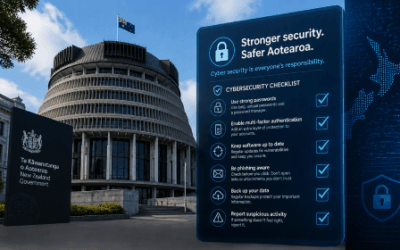
NZ Government “NCSC Minimum Cyber Security Standards”
The NCSC’s new Minimum Cyber Security Standards replace the old Critical Controls checklist with outcomes. What’s in them and what to do next.
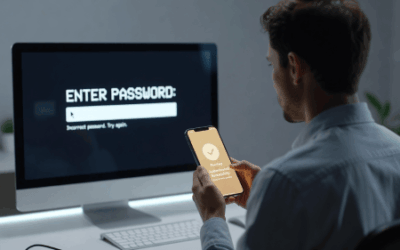
Passkeys Explained: A Beginner’s Guide to Signing In Without a Password
What passkeys are, why they’re safer than passwords, and what Microsoft’s 2026 and 2027 sign-in changes mean for your business.

Your Staff Are Already Using AI. Do You Know How, and With What Data?
Shadow AI is already in most businesses. Why visibility matters and how a Business AI Assessment shows what is really happening.

We Have Copilot. Nobody’s Using It. What Should We Do?
Bought Copilot licences but nobody is using them? Why adoption stalls and what the businesses getting real value do differently.

30 Years of Change, and One Thing That Hasn’t
Three decades of IT, from NetWare and dial-up to AI. The technology has changed completely. What matters most has not.

Every Client Is Suddenly Asking Us the Same 3 Questions
Productivity, security and spend: the three questions every leader should ask their IT provider, with straight answers.

Webinar Replay: Microsoft 365 Business Premium, What You’re Probably Not Using (But Should Be)
Most businesses use less than 20% of Microsoft 365 Business Premium. The security features, Copilot and apps you are probably missing.

New Zealand’s Cyber Security Agency Warns Businesses to Get Control of AI Usage
The NCSC has published guidance on managing AI security and data risks. What it says and how to find out where AI is used in your business.

Making Sense of the AI Engines
Which AI engine for which job? A plain-English guide to the models from OpenAI, Anthropic, Google, DeepSeek, xAI, Meta and Mistral.

Why Would a Hacker Bother to Target Me?
Kaspersky’s 2026 SMB Threat Report shows why small businesses are prime targets, and why fake AI tools are the newest lure.