“A cybercriminal only has to be lucky once, while a defender has to be lucky every minute of every day.”
– Combating Ransomware – A Comprehensive Framework for Action: Key Recommendations from the Ransomware Task Force.
The message we hear from governance boards over and over is ‘can you prevent hackers from stealing our data?’ Every time there is a high-profile attack, the calls get louder. As cyber security attacks become more frequent, the awareness of this activity increases exponentially.
The simple reality is that cyber-crime is now a mega-business. The cost and effort to combat cyber security threats grow all the time, and while nothing is guaranteed, there are things we can do to reduce your risk.
It means stepping up our collective cyber security game. New tools, new processes and new staff awareness. The protections that seemed excessive a year ago now seem to be inadequate. We have to keep adding new tools and services so that you can select a level of protection that you are comfortable with, and like your insurance, you need to reassess this every year.

What do you need to think about to protect your organisation?
1. The biggest risk is people and processes.
We suggest making a representative group and mirroring the practice of a Health and Safety committee. Have a ‘Cyber Security’ committee that spends time thinking about how someone could accidentally give away confidential data – start by thinking about how your data is held, where it is held, if it is confidential, and who has access to it. Next up are simple things like credentials. For example, if a client calls up for anything, from a question to a password reset, how do you verify who they are before providing any confidential info. Inside the company and out, people are the biggest risk to cyber security, and the security of the information your company holds.
2. We all know about malware and ransomware but…
Malware and ransomware typically get in through software bugs, and the best answer to this cyber security threat is to ensure everything is patched. Do you get regular reports to show that everything is patched or do you trust that it is done? “Everything” can be quite a long list but you can divide it up by types of machines (servers, laptops etc). Patching isn’t just for Microsoft tools, but everything that you use – Adobe, Google, and so on. Digital security is crucial across your network, even on mobile devices.
3. Keep your software up to date
Despite their best efforts, software providers like Microsoft, Adobe and others do have vulnerabilities in their products that hackers can and do exploit. Often these are around functionality, where the software enables organisations to build and automate their own solutions, but at the same time, these features can be misused. Developers work extremely hard to overcome these risks, and are regularly working on ways of offering the capability without the risk. Keeping the software up to date with patches is your key defence, and you need clear reporting that shows you are making sure you aren’t exposed with older versions.
4. We’re all aware of antivirus but today we need to go further.
A good level of cyber and information security requires a more intensive end-point protection and personal firewalls, even for computers that stay behind the corporate firewall. That’s because it’s surprisingly common for ‘guest’ machines to connect to networks, for example, to support visitors, and you simply don’t know what state their devices are in and what viruses they may introduce.
5. Common attack vectors include “phishing”. The best defenses are:
- Regular phishing tests, to see how aware your colleagues are.
- Cyber Security briefings and awareness training to help everyone stay alert and support each other, both via eLearning and in-person presentations. Kinetics provides Cyber Security training in NZ
- URL scrubbing – testing the URLs people click on BEFORE the site opens to warn you before you inadvertently browse to potentially infected websites.
- Layers of security (check this client story out)
6. The Darkweb!
It pays to be aware that some of your data is ALREADY on the darkweb. It will mostly be credential information scavenged from historical hacks of sites like Sony, LinkedIn, Marriott, and many others. Occasionally this will surface up to you as an email that states your account name, and password for a particular site, along with a threat, for example, “We know what you have been up to, pay a ransom or we will share this publicly”. If you recognise the username and password and it’s a common one that you use, then this threat can be very compelling.
The best defense is to ensure everyone uses unique passwords for everything, and the best way to do that is with a secure password vault tool.
7. Multi-factor authentication!
MFA isn’t infallible, but in conjunction with the items above, it’s a very important layer of cyber security. We regularly see compromise attempts on Microsoft 365 in particular, and these are being defeated by simple steps like enforcing multi-factor authentication, and where possible, limiting logins to territories that people log in from. For example, unless you have people currently in eastern Europe, then you can simply block access from IP addresses from those countries. MFA should be on EVERYTHING, not just Microsoft 365 but also the less common sites your people access.
8. Shadow IT DetectioN.
Looking at the first item on the list, you will be amazed at some of the tools in use by your people. It is extremely common for people to set up an account on an external website, or install an extension to get a job done. They often just use their email address and make up a password. That means that if they leave your organisation, they can still log in with the email address – the webtool doesn’t know they’ve left! Even worse, you don’t know how secure the tool is, and often you don’t even know about the tool at all! Shadow IT can hugely compromise the security of the data and information your organisation holds on to.
9. Microsoft have baked some excellent protections into Microsoft 365. Are you using them?
Microsoft has for example, ‘data leak protection’ to help set up a regime where Office 365 can detect confidential data (eg credit card numbers, health records, and so on) and then permit or prevent certain actions – for example preventing emailing a spreadsheet with more than say 5 of these records on it, or at least warning you before you do. It can also warn when it detects unusual behaviour such as copying or deleting large numbers of files. The trick is that this needs to be turned on, configured, and, above all, maintained and monitored.
Likewise, are you running any monitoring of your 365 environment, looking for unusual behaviours? There are so many exploits coming form hackers who get through one user’s credentials then expand their reach or start sending ‘ghost’ emails to redirect invoices, wire transfers and so on.
10. Consider vulnerability scanning on a regular basis.
Vulnerability scans are based around CVE (Common Vulnerability and Exposures) and CVSS (Common Vulnerability Scoring System) and are maintained by First.org, a global forum for response and cyber security teams. CVE’s can describe vulnerabilities in software on any connected device, from baby monitors to virtual appliances, CVE’s can be found everywhere and anywhere. A deep vulnerability scan is intensive. In addition to scanning devices, it will attempt to use common login and passwords to brute-force hack devices.
Read some of the latest news on Cyber-Security
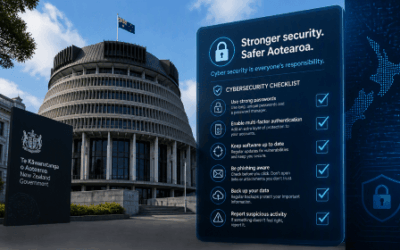
NZ Government “NCSC Minimum Cyber Security Standards”
The NCSC’s new Minimum Cyber Security Standards replace the old Critical Controls checklist with outcomes. What’s in them and what to do next.
Passkeys Explained: A Beginner’s Guide to Signing In Without a Password
What passkeys are, why they’re safer than passwords, and what Microsoft’s 2026 and 2027 sign-in changes mean for your business.

Your Staff Are Already Using AI. Do You Know How, and With What Data?
Shadow AI is already in most businesses. Why visibility matters and how a Business AI Assessment shows what is really happening.
We Have Copilot. Nobody’s Using It. What Should We Do?
Bought Copilot licences but nobody is using them? Why adoption stalls and what the businesses getting real value do differently.

30 Years of Change, and One Thing That Hasn’t
Three decades of IT, from NetWare and dial-up to AI. The technology has changed completely. What matters most has not.

Every Client Is Suddenly Asking Us the Same 3 Questions
Productivity, security and spend: the three questions every leader should ask their IT provider, with straight answers.
Webinar Replay: Microsoft 365 Business Premium, What You’re Probably Not Using (But Should Be)
Most businesses use less than 20% of Microsoft 365 Business Premium. The security features, Copilot and apps you are probably missing.

New Zealand’s Cyber Security Agency Warns Businesses to Get Control of AI Usage
The NCSC has published guidance on managing AI security and data risks. What it says and how to find out where AI is used in your business.

Making Sense of the AI Engines
Which AI engine for which job? A plain-English guide to the models from OpenAI, Anthropic, Google, DeepSeek, xAI, Meta and Mistral.

Why Would a Hacker Bother to Target Me?
Kaspersky’s 2026 SMB Threat Report shows why small businesses are prime targets, and why fake AI tools are the newest lure.