
Password Vaults and You
With more and more websites necessary for our everyday activities, it’s getting harder and harder to manage passwords. By now, you will know not to write passwords on post-it notes and paste them on your screen. It’s not uncommon for most people to use the same username and password on a number of sites, particularly on sites we think are less important – for example, hotel websites or some news sites. However, this is a dangerous game to be playing with your information and cyber security.
The problem is that when (not if) your information gets breached, your username and password get into the hands of bad actors who poke and prod other sites on the internet, and test where else you may have used one of these passwords, or a simple variation.
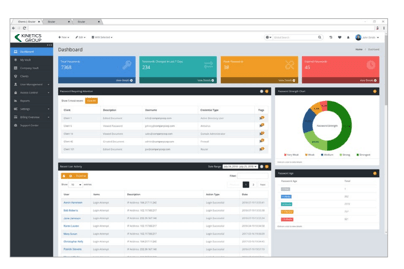
Of course, this is a cyber security challenge. We cannot easily remember hundreds of passwords, especially complex ones. We need an easy way, and we have a solution. A password vault.
But then the question you will ask is, “what happens if the vault is breached?” You need a super-secure vault. Something that easily remembers, (and creates) complex passwords for you and your colleagues – personal and work – and operates on Windows, Mac, and mobiles. It needs to be SOC2 certified so you know it’s secure.
What can a password vault offer you?

- No more remembering dozens of passwords
- Faster access to websites and applications
- Centralised system for both corporate and personal passwords
- Folders to organise and categorise credentials
- Automatic generation of audits and reports to help with tracking and compliance
- Improve the cyber security you provide your colleagues by promoting a password management system you trust
- Use strong password strings to thwart hackers
- Receive a notification of all the passwords of departing employees so clients can remove their access to company systems
- Give clients the tools to granularly grant employee access to employee systems and networks
- Meet compliance measures with comprehensive auditing and reporting capabilities
- Users can access their Site credentials quickly and easily through the native mobile apps on iOS and Android®, auto-fill to log in to websites, and apps on mobile devices
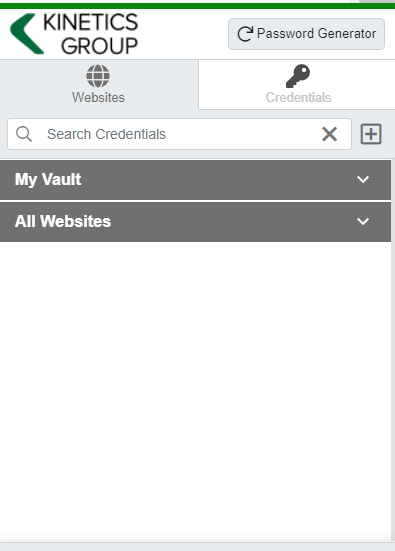
- Cross-browser extension for Google, Chrome, FireFox, Edge, and Chromium-based browsers
What’s your next step?
We’ve created a simple 9-point checklist to help you navigate the cyber-risk landscape and find the right digital security solution for you.
Kinetics can offer you a KARE Password Vault as part of KARE for Security S2 plan or you can subscribe to this standalone for $20 + GST per month for 5 users
Find out more about our Cyber Security Plans here

June 2025 Report: Cyber is now the THIRD largest economy in the world
As we approach the midpoint of 2025, New Zealand’s cyber security landscape continues to evolve rapidly. With digital transformation accelerating across sectors, the country faces a growing array of cyber threats—ranging from financially motivated scams to...

AI Innovations and Legal Battles: A Month in Review
AI Innovations and Legal Battles: A Month in Review This month has been a whirlwind of advancements and legal drama in the AI industry. Alibaba's New AI Models Alibaba kicked off the month by unveiling Qwen3, a new family of AI models that reportedly match, and...

A practical guide: How much cyber security investment do I really need?
Cyber costs seem to keep increasing every year. There is always something more that is needed. Organisations can’t afford to over-invest but they can’t afford to under-invest either. It’s a tightrope so we thought it would be useful to prepare a simple guide.A...

To use, or not to use, AI to transcribe a meeting.
We understand that capturing the details of meetings is crucial. But manual note-taking is time-consuming, prone to errors, and often leaves important nuances lost. Enter AI transcription AI Transcription is a rapidly evolving technology promising accurate, efficient...

Webinar Replay -Enhancing Your Security Posture with Microsoft Secure Score
This webinar replay covers the essentials of Microsoft Secure Score. Secure Score is a powerful tool designed to help businesses assess and improve their security across Microsoft 365 workloads. We will explore what Microsoft Secure Score is, why it is crucial for...

(Finally) 3 Things I like about the New Outlook
I’ve finally switched to the New Outlook after a few false starts and here are a few things that I like.Improved "New Outlook" Copilot Features Copilot in the old desktop version of Outlook doesn’t seem to have had any improvements for over a year.However, the New...

Microsoft OneDrive Changes – How will they impact you?
Microsoft have just shared changes that are coming to OneDrive as soon as June. Microsoft 365 Roadmap | Microsoft 365 Many users have personal OneDrive accounts as well as business ones. If OneDrive detects that a business user also has a personal account, it will,...

April’s AI Advances
April’s AI journey began when xAI acquired the social media platform X in an all-stock deal, valuing xAI at $80 billion and X at $33 billion. The merger aims to combine data, models, compute, distribution, and talent to advance xAI's AI ambitions. xAI's chatbot “Grok”...

What does the end of support for Windows 10 mean for me?
The End of an Era: Windows 10 Support is Ending What You Need to Know At the risk of being repetitive, it is important to remind readers that it’s the end of the road for Windows 10. Support for Windows 10 ends on October 14. After this date, Microsoft will no...

Note: ADOBE License Changes
Understanding the Latest Adobe License Changes with the VIP Marketplace In recent months, Adobe has introduced significant changes to its licensing programs, particularly with the VIP Marketplace. They tell us that these updates are designed to streamline the...