
Password Vaults and You
With more and more websites necessary for our everyday activities, it’s getting harder and harder to manage passwords. By now, you will know not to write passwords on post-it notes and paste them on your screen. It’s not uncommon for most people to use the same username and password on a number of sites, particularly on sites we think are less important – for example, hotel websites or some news sites. However, this is a dangerous game to be playing with your information and cyber security.
The problem is that when (not if) your information gets breached, your username and password get into the hands of bad actors who poke and prod other sites on the internet, and test where else you may have used one of these passwords, or a simple variation.
Of course, this is a cyber security challenge. We cannot easily remember hundreds of passwords, especially complex ones. We need an easy way, and we have a solution. A password vault.
But then the question you will ask is, “what happens if the vault is breached?” You need a super-secure vault. Something that easily remembers, (and creates) complex passwords for you and your colleagues – personal and work – and operates on Windows, Mac, and mobiles. It needs to be SOC2 certified so you know it’s secure.
What can a password vault offer you?

- No more remembering dozens of passwords
- Faster access to websites and applications
- Centralised system for both corporate and personal passwords
- Folders to organise and categorise credentials
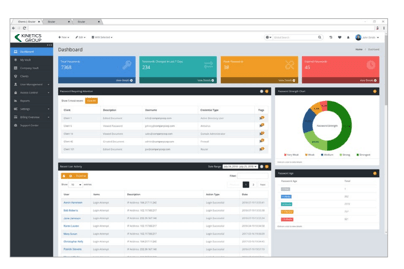
- Automatic generation of audits and reports to help with tracking and compliance
- Improve the cyber security you provide your colleagues by promoting a password management system you trust
- Use strong password strings to thwart hackers
- Receive a notification of all the passwords of departing employees so clients can remove their access to company systems
- Give clients the tools to granularly grant employee access to employee systems and networks
- Meet compliance measures with comprehensive auditing and reporting capabilities
- Users can access their Site credentials quickly and easily through the native mobile apps on iOS and Android®, auto-fill to log in to websites, and apps on mobile devices
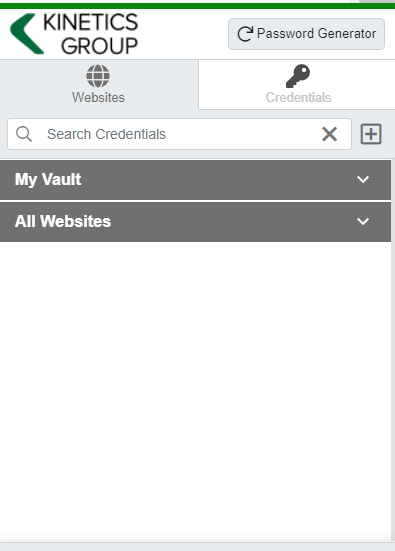
- Cross-browser extension for Google, Chrome, FireFox, Edge, and Chromium-based browsers
What’s your next step?
We’ve created a simple 9-point checklist to help you navigate the cyber-risk landscape and find the right digital security solution for you.
Kinetics can offer you a KARE Password Vault as part of KARE for Security S2 plan or you can subscribe to this standalone for $20 + GST per month for 5 users
Find out more about our Cyber Security Plans here
NZ Government “NCSC Minimum Cyber Security Standards”
The NCSC’s new Minimum Cyber Security Standards replace the old Critical Controls checklist with outcomes. What’s in them and what to do next.
Passkeys Explained: A Beginner’s Guide to Signing In Without a Password
What passkeys are, why they’re safer than passwords, and what Microsoft’s 2026 and 2027 sign-in changes mean for your business.

Your Staff Are Already Using AI. Do You Know How, and With What Data?
Shadow AI is already in most businesses. Why visibility matters and how a Business AI Assessment shows what is really happening.

We Have Copilot. Nobody’s Using It. What Should We Do?
Bought Copilot licences but nobody is using them? Why adoption stalls and what the businesses getting real value do differently.

30 Years of Change, and One Thing That Hasn’t
Three decades of IT, from NetWare and dial-up to AI. The technology has changed completely. What matters most has not.

Every Client Is Suddenly Asking Us the Same 3 Questions
Productivity, security and spend: the three questions every leader should ask their IT provider, with straight answers.

Webinar Replay: Microsoft 365 Business Premium, What You’re Probably Not Using (But Should Be)
Most businesses use less than 20% of Microsoft 365 Business Premium. The security features, Copilot and apps you are probably missing.

New Zealand’s Cyber Security Agency Warns Businesses to Get Control of AI Usage
The NCSC has published guidance on managing AI security and data risks. What it says and how to find out where AI is used in your business.

Making Sense of the AI Engines
Which AI engine for which job? A plain-English guide to the models from OpenAI, Anthropic, Google, DeepSeek, xAI, Meta and Mistral.

Why Would a Hacker Bother to Target Me?
Kaspersky’s 2026 SMB Threat Report shows why small businesses are prime targets, and why fake AI tools are the newest lure.