Password Vaults and You
With more and more websites necessary for our everyday activities, it’s getting harder and harder to manage passwords. By now, you will know not to write passwords on post-it notes and paste them on your screen. It’s not uncommon for most people to use the same username and password on a number of sites, particularly on sites we think are less important – for example, hotel websites or some news sites. However, this is a dangerous game to be playing with your information and cyber security.
The problem is that when (not if) your information gets breached, your username and password get into the hands of bad actors who poke and prod other sites on the internet, and test where else you may have used one of these passwords, or a simple variation.
Of course, this is a cyber security challenge. We cannot easily remember hundreds of passwords, especially complex ones. We need an easy way, and we have a solution. A password vault.
But then the question you will ask is, “what happens if the vault is breached?” You need a super-secure vault. Something that easily remembers, (and creates) complex passwords for you and your colleagues – personal and work – and operates on Windows, Mac, and mobiles. It needs to be SOC2 certified so you know it’s secure.
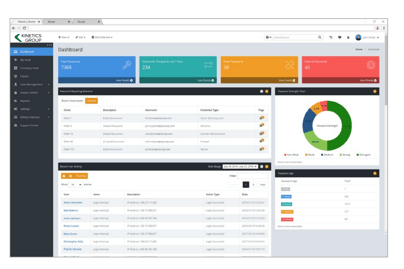
What can a password vault offer you?

- No more remembering dozens of passwords
- Faster access to websites and applications
- Centralised system for both corporate and personal passwords
- Folders to organise and categorise credentials
- Automatic generation of audits and reports to help with tracking and compliance
- Improve the cyber security you provide your colleagues by promoting a password management system you trust
- Use strong password strings to thwart hackers
- Receive a notification of all the passwords of departing employees so clients can remove their access to company systems
- Give clients the tools to granularly grant employee access to employee systems and networks
- Meet compliance measures with comprehensive auditing and reporting capabilities
- Users can access their Site credentials quickly and easily through the native mobile apps on iOS and Android®, auto-fill to log in to websites, and apps on mobile devices
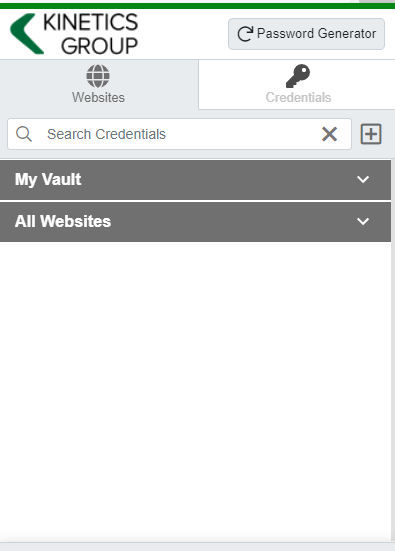
- Cross-browser extension for Google, Chrome, FireFox, Edge, and Chromium-based browsers
What’s your next step?
We’ve created a simple 9-point checklist to help you navigate the cyber-risk landscape and find the right digital security solution for you.
Kinetics can offer you a KARE Password Vault as part of KARE for Security S2 plan or you can subscribe to this standalone for $20 + GST per month for 5 users
Find out more about our Cyber Security Plans here
x
Microsoft 365 Pricing Changes Coming 1 July 2026
x
Microsoft 365 Pricing Changes Coming 1 July 2026
x
Microsoft 365 Pricing Changes Coming 1 July 2026

Taking your business to Azure Cloud – and beyond
TAKING YOUR BUSINESS TO MICROSOFT AZURE CLOUD – AND BEYOND We’ve all heard the benefits of moving to cloud. There’s the ability to scale resources up and down, a reduction in infrastructure and maintenance costs, easy accessibility, and improved security, compliance...

HELPING BUSINESSES TAKE FLIGHT IN AZURE CLOUD
When premier New Zealand law firm Mayne Wetherell’s on-premise servers hit end of life, they had two options: Invest in new servers or find a new way of running their IT. A Kinetics FlightPlan best practice IT review shone a light on the company’s stakeholder...

Christmas is the season for… (Our Christmas hours)
For some, Christmas is the season for relaxing and enjoying. For others it is work, work work! So our Christmas hours are.... 24/7 ! While a number of our clients take a well-earned break at this time of year, it's the busy season for others. We have...

How FlightPlan helped a leading legal firm
Overview Every year, premier Kiwi law firm Mayne Wetherell takes on up to 8 graduates and summer clerks as part of its popular recruitment programme. But on-premise hardware and perpetually licensed software are not by their nature made for rapidly scaling services...

Excel’s Best Ideas
Have you noticed the ‘IDEAS’ icon in Excel? (It used to be called ‘Insights’ ). It’s Excel’s attempt to make you look smarter and more thoughtful. Simply start with a table (not a pivot table) of data, and hit the idea’s button and see what comes. Based on my...

Security, Security, Security
Security, Security, Security.The theme of the latest “IT Nation” Conference in Florida was firmly on security. This is an important conference for us and we now go each year to what is possibly the biggest gathering of IT firms like Kinetics, to learn the latest...

When you DON’T buy some thing on TradeMe
Its hard not to be impressed by this beauty of a phishing mail - but DON'T BE FOOLED! The item link goes to a genuine item on TradeMe, but when you look closely The email came from mailer@traderme.co.nz - that's right... traderme (not trademe) If you hover the mouse...