
Password Vaults and You
With more and more websites necessary for our everyday activities, it’s getting harder and harder to manage passwords. By now, you will know not to write passwords on post-it notes and paste them on your screen. It’s not uncommon for most people to use the same username and password on a number of sites, particularly on sites we think are less important – for example, hotel websites or some news sites. However, this is a dangerous game to be playing with your information and cyber security.
The problem is that when (not if) your information gets breached, your username and password get into the hands of bad actors who poke and prod other sites on the internet, and test where else you may have used one of these passwords, or a simple variation.
Of course, this is a cyber security challenge. We cannot easily remember hundreds of passwords, especially complex ones. We need an easy way, and we have a solution. A password vault.
But then the question you will ask is, “what happens if the vault is breached?” You need a super-secure vault. Something that easily remembers, (and creates) complex passwords for you and your colleagues – personal and work – and operates on Windows, Mac, and mobiles. It needs to be SOC2 certified so you know it’s secure.
What can a password vault offer you?

- No more remembering dozens of passwords
- Faster access to websites and applications
- Centralised system for both corporate and personal passwords
- Folders to organise and categorise credentials
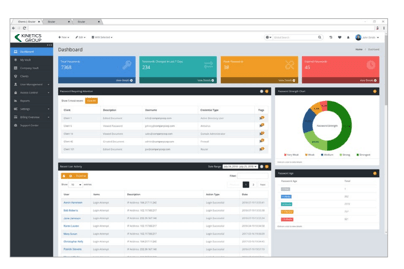
- Automatic generation of audits and reports to help with tracking and compliance
- Improve the cyber security you provide your colleagues by promoting a password management system you trust
- Use strong password strings to thwart hackers
- Receive a notification of all the passwords of departing employees so clients can remove their access to company systems
- Give clients the tools to granularly grant employee access to employee systems and networks
- Meet compliance measures with comprehensive auditing and reporting capabilities
- Users can access their Site credentials quickly and easily through the native mobile apps on iOS and Android®, auto-fill to log in to websites, and apps on mobile devices
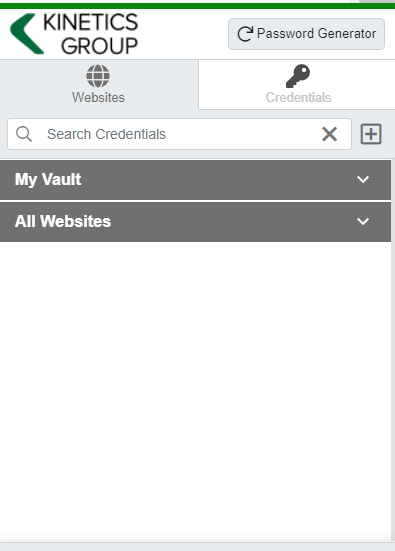
- Cross-browser extension for Google, Chrome, FireFox, Edge, and Chromium-based browsers
What’s your next step?
We’ve created a simple 9-point checklist to help you navigate the cyber-risk landscape and find the right digital security solution for you.
Kinetics can offer you a KARE Password Vault as part of KARE for Security S2 plan or you can subscribe to this standalone for $20 + GST per month for 5 users
Find out more about our Cyber Security Plans here

Manage My Health Data Breach – What We’ve Heard
What New Zealand Businesses Need to Learn from 126,000 Compromised Patient Records New Zealand's largest patient information portal confirmed a major cyber security breach on New Year's Eve, with up to 126,000 users potentially affected. The Manage My Health incident...

AI’s December Acceleration
6 Developments That Changed the Game (While You Were Planning for Christmas) December 2025 wasn't just about end-of-year planning. While New Zealand businesses were wrapping up 2025, AI platforms shipped features that fundamentally change how work gets done in...

Five Business IT Trends New Zealand Companies Should Watch in 2026
As we move into 2026, New Zealand businesses face a technology landscape where digital transformation is no longer optional.For NZ business managers preparing budgets and strategic plans for the year ahead, understanding the key IT trends will be critical to...

URGENT ADVISORY: We’re seeing a significant increase in authentication attacks this Christmas
Significant Hacking Trend Over this 2025/26 Christmas and New Year period, our Kinetics KARE security monitoring has detected a significant increase in sophisticated authentication attacks targeting New Zealand businesses. KARE Foundation clients are protected and...

Stop Wasting Time: Why Copilot’s New Memory Feature Is a Game-Changer
Microsoft Copilot Gets Smarter: Memory Management and Cross-Platform Integration Microsoft is rolling out significant updates to Copilot that fundamentally change how the AI assistant works with you and your data. Two key features are now becoming available: Memory...

Your Customers Need to Trust Your Emails: Here’s How DMARC 2.0 Helps
Yet another IT acronym: "DMARC" DMARC stands for Domain-based Message Authentication, Reporting, and Conformance. It's an email authentication protocol that helps protect your domain from being used in email spoofing, phishing attacks, and other cyber...

Christmas is coming. But will you get a visit from Santa or from a grinchy hacker?
Protecting Yourself from Cyber Threats While on Holiday We're more vulnerable than normal to hackers at this time of year. Unfortunately, the hackers know it and tend to be more aggressive.In the rush up to Christmas, there's normally so much to do that we're all that...

Understanding Your Microsoft Secure Score: Why Your Percentage May Drop (While Your Security Improves)
Important Update for KARE Foundation Subscribers If you've noticed your Microsoft Secure Score percentage decreasing recently, don't be alarmed. Your security hasn't weakened. In fact, Microsoft is making significant enhancements that will ultimately make your...

Stop Searching Stock Photos: Microsoft Copilot Now Creates Custom Images Inside Your Documents
Microsoft has quietly added a capability to Copilot that eliminates one of the most frustrating parts of document creation: finding the right image. Instead of searching through stock photo libraries or hiring designers, you can now generate custom images directly...

AI Just Got Scary Good (and Scary Affordable): 5 November Breakthroughs
November 2025 marked the moment AI stopped being a curiosity and became a genuine business advantage. Don't wait for your competitors to get the jump with these new capabilities. Here are the five developments that changed the game—and what they mean for your...