Data Leak Protection (DLP)
is the name of several policies in Office 365, setting up what data can, and can’t be, shared and with whom.
Imagine being able to automatically identify private information like passport numbers, Health IDs or bank account details and make sure that those are only being shared with people that are authorised to see them.
The good news is that you can do this with 365, provided you turn on the policies and set them up correctly, and monitor when data is shared.
Under the NZ Privacy Act, we’re all expected to take care of personal data entrusted to us and to make sure it’s only used for the purpose for which is being obtained.
With Office 365, there’s no excuse for that to be breached provided that we understand what data should be kept, what might be kept incorrectly, and how its being shared. With this we can set up rules to monitor your Office 365 system and report on how records are shared.
We include a basic set up of DLP in our KARE for Security S2 plan to get you started.


Cost Reduction?
We've been partnering with Vorco for telecommunications for some time. They reminded us that they are good at helping our clients save money on their calling and internet costs. Simply take a current telecommunication bill, and redact the costs. Redact your business...

Connecting NZ’s internet to the world
In the aftermath of the global Crowdstrike outage, one question got us thinking "What other supply chain risks could threaten our IT-dependent daily lives?" The answer may lie beneath the waves, in the form of the very cables that connect us to the digital world....

What does “The Largest IT Outage in History” mean for KARE subscribers?
You may be aware of the Global IT issues that started late on Friday 19th. It has been called the "largest global IT outage in history". We appreciate that many services were impacted, and this has caused disruption and stress to many in our communities. Issues being...
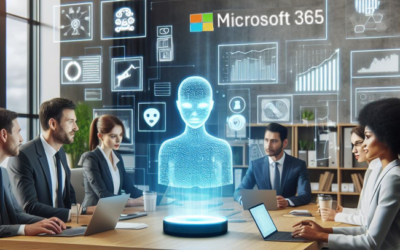
Webinar replay: Being Ready for Copilot in M365: Navigating the Data Landscape
Free Webinar Replay : Being Ready for Copilot in M365: Navigating the Data LandscapeAI has the power to transform our working day. Are you ready to leverage AI and Microsoft Copilot in your daily work? If so, you need to make sure your data is ready too.Data is the...
The Secrets of Successful LawFirm Practice Management selection and implementation (based on a few years of experience)
Navigating the Complexities of Law Firm Practice Management Software In the dynamic world of legal practice, the right Practice Management and Document Management solutions are not just a necessity—they are the backbone of a successful law firm. When you firm outgrows...
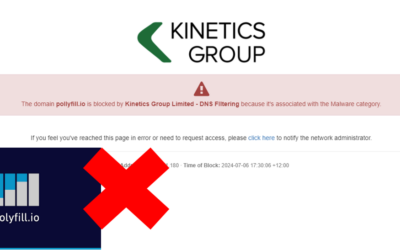
When not being able to access a website is a good thing.
We know it can be incredibly frustrating when you can’t access a website that you need. That happened for a number of a number of our clients last week, (and, counter-intuitively, it’s a good thing) Many websites are built on common components. One of those is...
When good updates go bad (resulting in Windows 11 Endless Reboots)
Navigating the Challenges of KB5039302: A Guide to Recovery. In the ever-evolving landscape of technology, updates are a constant. They bring improvements, new features, and security patches. However, occasionally, an update may not go as planned, leading to...

TeamViewer Compromise
TeamViewer is a common piece for software that allows IT businesses to remotely access, control, manage, monitor, and repair devices – from laptops and mobile phones to industrial machines and robots. Many software vendors include it to allow them to remotely support...
Lawfirm moves into the cloud with Azure Virtual Desktop
Kinetics moves McElroys into the cloud with Azure Virtual Desktop. With ageing server infrastructure supporting its practice management software coming up for a refresh, law firm McElroys checked in with its managed services provider Kinetics for guidance on the...

What should you know about Microsoft AVD?
Why is "Azure Virtual Desktop" (AVD) important?In today's fast-paced world, the ability to work remotely is not just a convenience; it's a necessity.That's where Azure Virtual Desktop (AVD) comes into play, offering a seamless transition from traditional Remote Access...