
Data Leak Protection (DLP)
is the name of several policies in Office 365, setting up what data can, and can’t be, shared and with whom.
Imagine being able to automatically identify private information like passport numbers, Health IDs or bank account details and make sure that those are only being shared with people that are authorised to see them.
The good news is that you can do this with 365, provided you turn on the policies and set them up correctly, and monitor when data is shared.
Under the NZ Privacy Act, we’re all expected to take care of personal data entrusted to us and to make sure it’s only used for the purpose for which is being obtained.
With Office 365, there’s no excuse for that to be breached provided that we understand what data should be kept, what might be kept incorrectly, and how its being shared. With this we can set up rules to monitor your Office 365 system and report on how records are shared.
We include a basic set up of DLP in our KARE for Security S2 plan to get you started.

Putting a light on the dark web with upgraded monitoring
What's the Dark Web? The Dark Web, is often associated with a veil of notoriety, is a part of the internet intentionally hidden from traditional search engines. It requires specific software, such as Tor, to access, offering an anonymous platform where privacy is...
What is Micro-Coaching?
What is Micro-Coaching? Short one to one sessions where you learn, solve problems, achieve goals and transform through Insight Led Learning. Each session lasts for up to an hour and gives you the opportunity to work with one of our consultants to work through a goal,...

Are you still using email attachments to share documents?
Microsoft are working hard to change your habits. We’ve all experienced the problem of sharing emails and finding that our documents proliferate different versions with different edits which can be quite challenging to bring together. But that’s not the only problem....
When does using CC in an email become a privacy breach?
Sometimes you need to use the BCC (Blind carbon copy) function in email! Last month, the email addresses of 147 gun owners were shared in an email. Whoever was sending the email put everyone in the 'cc' line. That meant their email addresses could be read by anyone...
Don’t accidentally throw away your WiFi!
Canon just sent out a warning. Wipe your old printers before selling/discarding them! It seems that printer technicians can access the memory and go into settings to uncover old Wifi passwords. Their advisory seems to suggest wiping the settings a couple of times...
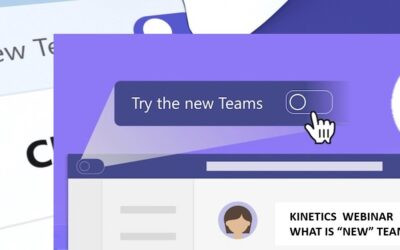
REWATCH – Webinar – Meet the Microsoft Teams 2.0
We rely on Teams for so much and now, Microsoft are releasing a major update to it. Teams has been changing in front us, and adding new features, but this new version means that change is accelerating. Why are Microsoft changing it? What is 'new' in it, and what can...
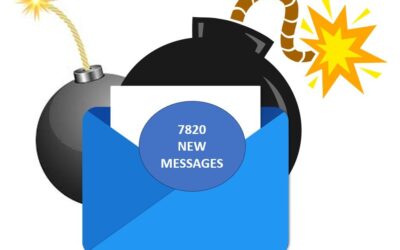
Avoiding Subscription Bombs
If 10,000 emails suddenly flooded your inbox, what would you do? Suddenly any real messages will be lost in the blitz of spam that's overloading your screen. It is hard enough to delete all those messages, let alone filter out the genuine ones from the flood. This...
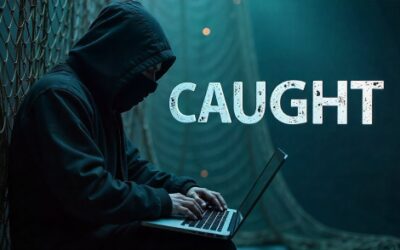
Gotcha!
"GROUP-IB" are a Singapore-based cyber-security provider. They go deep into the cyber-crime sphere and it's paid off. After 30+ attacks, and over $US30M stolen, "OPERA1ER" have been caught! They describe a bad actor who, from 2019, had used the same MO over and...

Look before you click
The latest trend in phishing is pictures! It might be a thumb nail of a picture - a cute pet, interesting garden scene, or some other curiosity. It might be in the form of advertisement. Maybe it is offering a time sensitive, and urgent deal. It might even be a...

REWATCH Cyber Lessons from the field.
What can we learn from recent NZ cyber-events? What is real and what is hyperbole? Scroll down for the MFA revelation - it will surprise you!Introducing Campbell McKenzie from Incident Response, the team called in after cyber-events to help clean up and manage the...