
Data Leak Protection (DLP)
is the name of several policies in Office 365, setting up what data can, and can’t be, shared and with whom.
Imagine being able to automatically identify private information like passport numbers, Health IDs or bank account details and make sure that those are only being shared with people that are authorised to see them.
The good news is that you can do this with 365, provided you turn on the policies and set them up correctly, and monitor when data is shared.
Under the NZ Privacy Act, we’re all expected to take care of personal data entrusted to us and to make sure it’s only used for the purpose for which is being obtained.
With Office 365, there’s no excuse for that to be breached provided that we understand what data should be kept, what might be kept incorrectly, and how its being shared. With this we can set up rules to monitor your Office 365 system and report on how records are shared.
We include a basic set up of DLP in our KARE for Security S2 plan to get you started.


Helping you with Cyber Insurance Audit Forms
Cyber Security Audits are increasingly common. One cause is that we're seeing more boards ask about cyber security posture, and frankly every board needs to be asking about that. The other major prompt we see is when our clients are applying for cyber security...

The 5 questions you will asking about Windows 11
1. What is it? We’ve mentioned before that Microsoft had stated that Windows 10 would be the last version of Windows and it would simply keep being updated. That’s played out well over the last many years, but now we do have a new version – Windows 11. New Windows 11...

Don’t be in the 67,500
It might be our nearest neighbour, rather than us, but its still a good indicator of the trends that we're also seeing in New Zealand. We have to remember that much cyber-crime is still not reported. Whether it's out of embarrassment or commercial sensitivity, we...
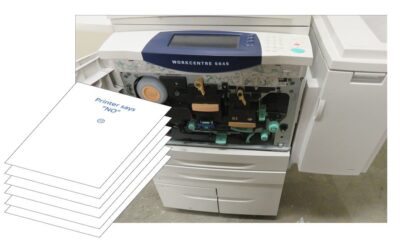
Print NIGHTMARE
If you suddenly can't print at work, it might NOT be you! It could be the "PrintNightmare" problem For months Microsoft has been battling to release a reliable update for a problem called “PrintNightmare” that’s been happening since Microsoft released an...

Making Teams presentations stand out
How to put yourself in the picture and make your online presentations look really professional!We are all looking for ways to stand out, apart from others. Lockdown has taught us that we don't have to be in the same room any more to present to clients, partners and...

Urgent – “Zero Day” exploit 9 Sept 2021
Today's news is full of stories about increased cyber-threats in NZ - Cyber attacks against Kiwibank, ANZ, NZ Post, MetService - experts see lockdown link - NZ Herald We've seen several days of issues caused by these "DDOS" attacks. Overnight, another...

Real world Cyber-Security stories from the battlefront.
Every day we’re seeing more and more hacking attempts against clients. Cyber security attacks are getting more frequent, more threatening, and much more sophisticated. But for all that, and for all the associated risks, we’re astounded by the number of organisations...
Have you tried Microsoft Teams Breakout Rooms yet?
Lockdown has driven our normal meetings and events online. Tools like Zoom and Teams have responded by becoming more and more capable. The challenge is that many of the features being added just appear. There is surprisingly little fanfare about many of them. I...
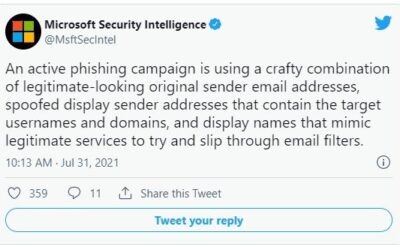
Have you heard about “typosquatting”?
"Typosquatting" is the name given to criminals pretending to be someone they aren't - taking a domain name that uses a clever combination of legitimate-looking original sender email addresses, with spoofed display sender addresses that contain the target usernames and...
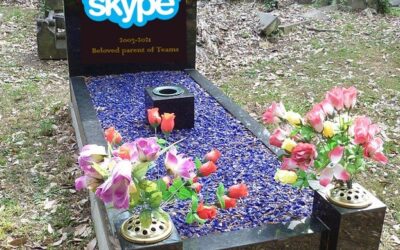
Are Skype’s days numbered?
Is it finally time? For a long time, Skype was the “go-to” video calling app. It was free, and it worked so much better than the alternatives. It used to be the default means to connect with friends and family, to the point that it achieved verb status – we would say...