
If you don’t where it is, you can’t protect it.
Do you know where ALL your organisation’s data is – not physically, but on which web and cloud services?
Here’s the problem. If you don’t where it is, then you can’t protect it. The secondary problem is finding out, because not everyone in your organisation will be onboard. It is common for people to sign up to web services because they offer something useful that helps them do their job.
They sign up using their email address and creating a password. There is the first headache – how does anyone track what has been signed up to across your organisation, let alone who has access to it? If that person leaves, no one will change the account credentials if they don’t know about it, but your ex-colleague still has access.
Secondly, what data do they upload? Is that data that you have a legal or moral responsibility for?
There’s nothing noble about Nobelium.
This isn’t theory – it’s real. USAID is a pretty important US organisation – promoting democracy and human rights around the world. Turns out, someone there was using a well-known email database tool called Constant Contact. But their account wasn’t well protected. Worse still, their account had a huge mailing set up, and of course, it had all the official USAID templates.
So, these Nobelium people, allegedly a Russian state-sponsored hacker group, compromised the Constant Contact account and sent a bulletin out. The bulletin contained malware that allowed the hackers to take command and control over victims computers. Ironically the fake email alleged interference in the US federal elections.
So, what can you do?
The first step is knowing what SaaS tools your people are using. We call this SHADOW IT and it is inevitable. Rather than stopping it, the job IT has is to identify it and manage it. The second step is to secure those platforms. That’s why our KARE for Security S2 plan contains a useful tool to help you identify what services your people are using.
Refer : What We Know About The Apparent Russian Hack Exploiting USAID : NPR
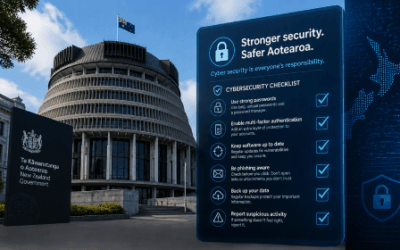
NZ Government “NCSC Minimum Cyber Security Standards”
The NCSC’s new Minimum Cyber Security Standards replace the old Critical Controls checklist with outcomes. What’s in them and what to do next.
Passkeys Explained: A Beginner’s Guide to Signing In Without a Password
What passkeys are, why they’re safer than passwords, and what Microsoft’s 2026 and 2027 sign-in changes mean for your business.

Your Staff Are Already Using AI. Do You Know How, and With What Data?
Shadow AI is already in most businesses. Why visibility matters and how a Business AI Assessment shows what is really happening.

We Have Copilot. Nobody’s Using It. What Should We Do?
Bought Copilot licences but nobody is using them? Why adoption stalls and what the businesses getting real value do differently.

30 Years of Change, and One Thing That Hasn’t
Three decades of IT, from NetWare and dial-up to AI. The technology has changed completely. What matters most has not.

Every Client Is Suddenly Asking Us the Same 3 Questions
Productivity, security and spend: the three questions every leader should ask their IT provider, with straight answers.

Webinar Replay: Microsoft 365 Business Premium, What You’re Probably Not Using (But Should Be)
Most businesses use less than 20% of Microsoft 365 Business Premium. The security features, Copilot and apps you are probably missing.

New Zealand’s Cyber Security Agency Warns Businesses to Get Control of AI Usage
The NCSC has published guidance on managing AI security and data risks. What it says and how to find out where AI is used in your business.

Making Sense of the AI Engines
Which AI engine for which job? A plain-English guide to the models from OpenAI, Anthropic, Google, DeepSeek, xAI, Meta and Mistral.

Why Would a Hacker Bother to Target Me?
Kaspersky’s 2026 SMB Threat Report shows why small businesses are prime targets, and why fake AI tools are the newest lure.