
What is ‘Shadow IT’?
Shadow IT refers to the various web tools informally in use within most organisations. These tools are often chosen without reference to IT or to management in general.
They are often used for all the very best reasons. Your colleagues have work to do, and these tools help them, so they get used. You might know about some because there is a subscription charge, but others might be free.
These tools can be anything from simply keeping lists of tasks to do, sharing information or managing workflows, providing newsletter lists, or recruiting staff. Its endless.
There’s all sorts of web pages out there that your people will be finding useful and will be using.
The question is, do you know what is being used on your behalf?
Even more importantly, do you know who’s got access to them? As your staff come and go, do you know to change passwords or reset user accounts to make sure that no one who has left you (maybe even gone to a competitor) is still able to access your confidential data?
Shadow IT is one of the largest threats to data privacy in organisations today. It’s not necessarily because these sites are going to be hacked, although it’s always possible, but it’s because if you don’t know the tools are in use, then there is no way that you can manage them!
The first step to maintaining this data is to identify them, and that’s why you need new tools that are cloud focused.
If you’re still using the same old security tools that you used prior to the cloud, then you are simply not keeping up and we need to talk!
Here’s a story about what happens if you don’t have this under control: Why you need to know all the cloud services that your organisation uses – IT Solutions and Managed Services (outsource.co.nz/)
Shadow IT is part of our 10-point cyber-security check list
While there is no single layer of technology that can guarantee you will be safe from hackers, you can reduce your risk by adding layers of protection. How many of our 10-point check list are in place for you?

Have you met Microsoft Loop?
Have you noticed the Microsoft Loop icon in your 365 screen? (It's been there for a few months) Loop is a comparatively new collaborative app that allows users to create, share, and work together on various types of content, including notes, tables, lists, and more....
Are your legacy IT systems giving hackers a backdoor into your business?
One of our engineers was working on migrating a customer from a legacy email server into Office 365 after we discovered they were under a brute force external attack. The migration required that we receive the users passwords. These would, of course, be reset after...

Empower your non-profit with the latest Microsoft Technology, including Co-Pilot (Auckland)
Empower your non-profit with the latest Microsoft TechnologyThis in-person Masterclass will highlight Microsoft's "Tech for Social Impact" initiative that aims to accelerate digital transformation across the Not-for-Profit/For-Purpose sector globally, so they can have...
Is your Teams calling giving the actionable data you need?
Like many businesses, we rely on Microsoft Teams for our messaging and voice/video calling It's easy to use, works well on all our devices and is highly reliable. But the standard reporting wasn't working for us. We were completely frustrated We knew our...

Empower your non-profit with the latest Microsoft Technology, including Co-Pilot (Christchurch)
Empower your non-profit with the latest Microsoft TechnologyThis in-person Masterclass will highlight Microsoft's "Tech for Social Impact" initiative that aims to accelerate digital transformation across the Not-for-Profit/For-Purpose sector globally, so they can have...
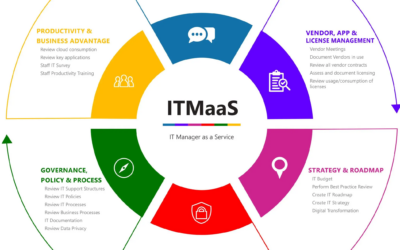
Fractional CIO, vCIO, ITMaaS – what’s the difference?
Kinetics has been providing IT strategy advice and leadership to a number of clients for many years now. We have found that there are a number of organisations who are mature enough to realise they require a more strategic approach to technology, however they cannot...
Service Alert
We're experiencing an extra heavy call volume today and it's proving challenging to respond as quickly as normal. It's been brought on by an apparent Microsoft change resulting in unexpected Windows 11 upgrades. These are happening to a number of devices even if...
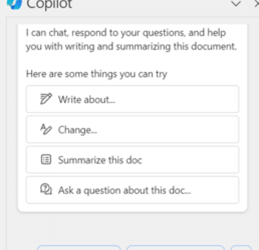
Copilot is here!
We’ve been talking about Copilot for a while now and it's finally available, for business users and personal/family! You can try a slightly clunky version for free. Just click on the Copilot link and you can ask questions, and create content to copy into Word or...
Keeping up with Microsoft 365 and Office
Microsoft have added a stack of new capabilities to Office in just the last six months. Because they just appear, it's easy to miss them, and some of these new features are really useful. How many of these new Office features did you know about? 1. Insert Pictures in...

AI Introduction: Free Self-Paced Learning
We've been exploring AI for a while now. Regular readers have shared the journey with us to uncover practical AI for everyday use. AI isn't science fiction. We've been seeing it for a while now and now Microsoft (and others) have made it mainstream. AI's been in...