
This sounds like a nightmare that could never happen.
US soldiers have been putting sensitive information online in non-secure third party websites. It defies belief, yet we’re reading that it happened. The story popped up on ‘Gizmodo’ .
It is alleged that US Soldiers were saving sensitive information on a couple of common flashcard sites, presumably of things they were trying to memorise and learn. It seems these are common learning tools used in universities to help students memorise facts. That works well so long as the facts aren’t top secret! Even worse, their settings were on ‘public’ not ‘private’!

It is a classic warning about the risk of people, however well intentioned, saving critical data online in places the organisation is unaware of, and can’t control. That’s why our KARE FOUNDATION proactive cyber-security plan helps identify use of these sites in your organisation.
Shadow IT is part of our 10-point cyber-security check list
While there is no single layer of technology that can guarantee you will be safe from hackers, you can reduce your risk by adding layers of protection. How many of our 10-point check list are in place for you?

New in Microsoft TEAMS
Imagine trying to survive lockdown without tools like Teams? Necessity has made us all experts in video-calling, and it’s left us wanting more! During lockdown, we got the ability to change the video call background so other participants couldn’t see where you were...

How does the post-COVID19 lockdown impact your IT planning?
Every business webinar is talking about the rush to get businesses back up to speed quickly, and test new business models to be more resilient over the coming weeks and months. In the same breath, they tell us things will never be the same again - whether its the risk...

What can you expect to see as Office 365 becomes Microsoft 365?
Whenever Microsoft say they are changing something to make it less confusing, most of us get a little cynical. The reality is that there are so many Microsoft tools we use every day, that it can be confusing, From Windows to Office to Teams to Dynamics and Azure,...
What’s in the latest version of Windows 10 – 2004 (aka 2020h1)
Coming – ready or not – while we cope with the challenges of the pandemic and changes to how we work, we also get changes to Windows. Is there anything to be excited about? Firstly, be aware this is effectively a new load of Windows – its much more than a service...

FREE Covid-19 Health Contact App
Are you ready for the move back to COVID-19 Level 3? Are you ready to track visits of your staff to other workplaces, or visitors to your workplace? It's not just tracking visits. You have an obligation to check you are not exposing your staff to COVID-19 either in...
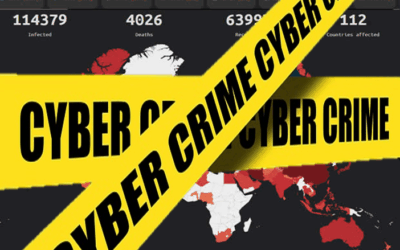
Americans Report US$13 Million in Losses From Coronavirus Scams
The United States’ Federal Trade Commission (FTC) has received more than 17,000 complaints from U.S. consumers who reported total losses in excess of US$13 million from COVID-19 related scams. The crime that was reported the most was the rather broad category of fraud...

Fancy a date?
How many working days are there in a month? For many of us doing budgeting, the number of days matter for either income or costs. For years, I have spent a few moments as part of our budget setting exercise to look through an annual calendar, count the days in each...

Are your staff struggling with technology working from home? Who are you going to call?
Who are you going to call? When you are stuck on an IT problem, you are working from home and the only person next to you is a pet! Out of sight but not out of mind - IT Training is MORE important now than ever How do you offer training remotely? How do you...
LOCKED DOWN, BUT NOT OUT!
Life must go on, irrespective of the Covid-19 disruption. With our staff, our clients and our various stakeholders relying on us, we simply have to make sure we use this time to come back stronger than ever. Many of us have been through these challenges before, and...

WARNING – COVID-19 ISN’T THE ONLY PANDEMIC RIGHT NOW
There’s more than one infection going on right now. There’s an avalanche of cyber-criminal activity as well – the crooks are faking websites to look like official WHO ones, sending fake emails that appear that to come from authorities – health departments,...