
Data Leak Protection (DLP)
is the name of several policies in Office 365, setting up what data can, and can’t be, shared and with whom.
Imagine being able to automatically identify private information like passport numbers, Health IDs or bank account details and make sure that those are only being shared with people that are authorised to see them.
The good news is that you can do this with 365, provided you turn on the policies and set them up correctly, and monitor when data is shared.
Under the NZ Privacy Act, we’re all expected to take care of personal data entrusted to us and to make sure it’s only used for the purpose for which is being obtained.
With Office 365, there’s no excuse for that to be breached provided that we understand what data should be kept, what might be kept incorrectly, and how its being shared. With this we can set up rules to monitor your Office 365 system and report on how records are shared.
We include a basic set up of DLP in our KARE for Security S2 plan to get you started.

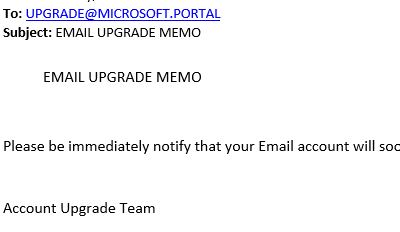
Another Scammer example
[header2 text="Not the worst we've seen, but equally effective" align="left" color="#336A40" margintop=""] The scammers never stop. This latest attempt is extremely poorly written. But when you follow the link it's a passable representation of the Office 365...
Giving clients better response times
Speeding up our service To speed up our service, we’ve introduced a new ‘ticket’ (job) logging system. This is in additional option to ringing us or emailing our ‘support’ email team. Each of these systems works but are relatively manual. We know that phone calls...
New cool stuff in your Office 365
[header2 text="New stuff, all the time" align="left" color="#336A40" margintop=""] Microsoft are continually updating Office 365 with awesome new tools and more efficient ways of working. Keeping up with these and learning how to use them is a big challenge, which is...
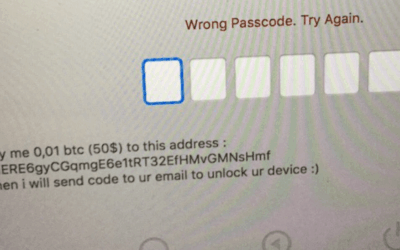
Macs are the latest victims of ransomware
According to Veeam the number of ransomware attacks has jumped 6000% since 2015-16. There is an interesting correlation between the increase in ransom attacks and the increase in value of bitcoins! Bitcoin value in NZ dollars. Source Google Finance Now we...

Seamless migration to cloud file storage
"We've been very fortunate to have them on board. Our transition went very smoothly. There was a great sense of comfort about them and they are very professional in what they do." - Jeremy Sole, CEO SharePoint migration Making the change from local file storage to...

Member training for the EMA
"For anyone thinking of using Kinetics for training : you're going to get value for money, on topic training. Definitely thumbs up." - David Foley, EMA Learning Manager Member IT training The EMA turned to Kinetics when they wanted to provide members...
No excuses for ugly PowerPoint slides
Add a design eye to give some pizzazz to your PowerPoint Not everyone has an eye for design – particularly when it comes to PowerPoint. Now you can get PowerPoint to design your slides for you. 1. Add the text and content you wish to display on your slide. The...
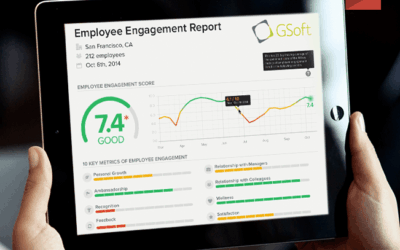
Sensing your office Vibe
As Kinetics had grown, our ability to understand what everyone in the team is feeling or thinking has diminished. The distance that growth brings between staff and managers creates doubts and misunderstandings that can be hard to see. More and more we have...
BEWARE THE FAKE LOGIN
Most people will be familiar with the concept of linking something to your Facebook login. Many sites offer you the opportunity to login using your Facebook account. Scammers use this concept to farm credentials for other sites. One we have started seeing more...
Microsoft 2017 Country Partner of the year!
[header2 text="THE SECRET TO OUR SUCCESS... IS OUR CLIENTS" align="left" color="#336A40" margintop=""] On top of our recent Cloud Productivity award, Microsoft have just announced Kinetics as their overall New Zealand 2017 Partner of the Year. We love doing what we...