Password Vaults and You
With more and more websites necessary for our everyday activities, it’s getting harder and harder to manage passwords. By now, you will know not to write passwords on post-it notes and paste them on your screen. It’s not uncommon for most people to use the same username and password on a number of sites, particularly on sites we think are less important – for example, hotel websites or some news sites. However, this is a dangerous game to be playing with your information and cyber security.
The problem is that when (not if) your information gets breached, your username and password get into the hands of bad actors who poke and prod other sites on the internet, and test where else you may have used one of these passwords, or a simple variation.
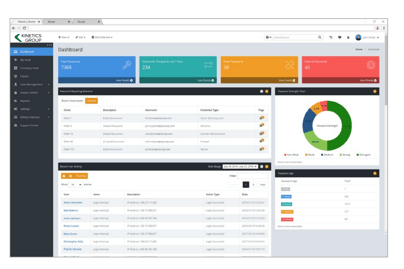
Of course, this is a cyber security challenge. We cannot easily remember hundreds of passwords, especially complex ones. We need an easy way, and we have a solution. A password vault.
But then the question you will ask is, “what happens if the vault is breached?” You need a super-secure vault. Something that easily remembers, (and creates) complex passwords for you and your colleagues – personal and work – and operates on Windows, Mac, and mobiles. It needs to be SOC2 certified so you know it’s secure.
What can a password vault offer you?

- No more remembering dozens of passwords
- Faster access to websites and applications
- Centralised system for both corporate and personal passwords
- Folders to organise and categorise credentials
- Automatic generation of audits and reports to help with tracking and compliance
- Improve the cyber security you provide your colleagues by promoting a password management system you trust
- Use strong password strings to thwart hackers
- Receive a notification of all the passwords of departing employees so clients can remove their access to company systems
- Give clients the tools to granularly grant employee access to employee systems and networks
- Meet compliance measures with comprehensive auditing and reporting capabilities
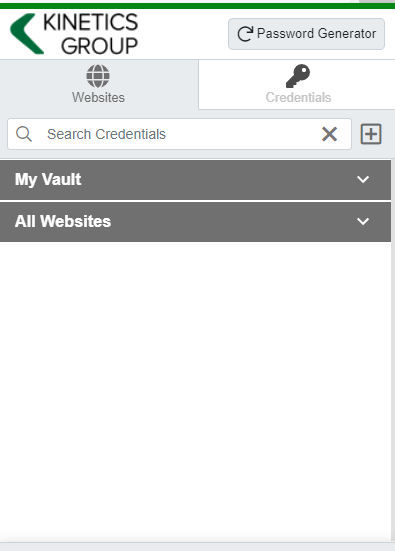
- Users can access their Site credentials quickly and easily through the native mobile apps on iOS and Android®, auto-fill to log in to websites, and apps on mobile devices
- Cross-browser extension for Google, Chrome, FireFox, Edge, and Chromium-based browsers
What’s your next step?
We’ve created a simple 9-point checklist to help you navigate the cyber-risk landscape and find the right digital security solution for you.
Kinetics can offer you a KARE Password Vault as part of KARE for Security S2 plan or you can subscribe to this standalone for $20 + GST per month for 5 users
Find out more about our Cyber Security Plans here

Do you know anyone trying to get a career underway in IT?
Here at Kinetics we encourage young people that want a career in IT. And we know that getting started is always the hard part. To help, we run an intern program and encouraged senior staff in mentoring new comers to IT. Kinetics know that starting a career can...
Windows 10 1909 – what’s in the latest update?
At last – Windows 10 1909 – the long awaited second Windows 10 update for 2019. Were you waiting for it? Actually it’s unlikely! In fact the first update, from March, is only just rolling out now, so it will be some time before this version hits your PC or laptop....
“Request for Information” warning
A recently released report on the Botnet 'MasterMana' has highlighted a simple but effective social engineering technique. MasterMana has been spreading via emails requesting information on products or services offered by the target company. The email is...

Eliot Sinclair Case study – FlightPlan (Best Practice Review)
Overview Eliot Sinclair & Partners (ESP) provide surveying, engineering, planning, landscape architecture and urban design consulting. Headquartered in Christchurch, New Zealand, Eliot Sinclair have provided consultancy services across South Pacific and Asia with...
Those scamming so and so’s
In September, Kinetics held a lunchtime IT security event focused around a presentation by our CTO Bill Lunam. After taking us though an abridged history of the internet, and an update on the current status of Internet crime, Bill explained some specific’s around the...
Microsoft Update – Backup Authenticator (Two-factor authentication tool) and Window 10 1909 ?
Firstly, unless you just delete our emails, or ignore what we (and every other tech professional) have been saying, you should now be using 2FA (two factor authentication) on pretty much everything, especially your Office365. The downside is that you don’t want to...

Bigger than Texas?
Its easy to think of security as something that’s only for larger organisations. They can afford the fancy systems that lock down networks, wireless connections and endpoint PCs & mobile devices. After all, aren't they the only organisations that hackers target?...
Compare two (near) identical Word files, without going insane
Of course, in a modern cloud world, this shouldn’t happen! We should share a link to a file and use versions to maintain it’s history. But we’re not in a perfect work, and we often get multiple people updating copies of the same file. Its all good until we have to...

Scamming your payroll
Keep an eye on your payroll! We're hearing about a bold new scam in the US, but it's bound to come to our shores soon. It's probably more likely to be effective in larger businesses or ones with an outsourced payroll. Essentially, the scammers try to intercept staff...

Would you click on either of these?
You are most vulnerable when you are busy, frantically jumping from call to call, meeting to meeting, distraction to distraction. So when you get a dodgy email, it's very easy to open it. This morning, that was me! And, even as hyper-aware as I am, I still...