
Data Leak Protection (DLP)
is the name of several policies in Office 365, setting up what data can, and can’t be, shared and with whom.
Imagine being able to automatically identify private information like passport numbers, Health IDs or bank account details and make sure that those are only being shared with people that are authorised to see them.
The good news is that you can do this with 365, provided you turn on the policies and set them up correctly, and monitor when data is shared.
Under the NZ Privacy Act, we’re all expected to take care of personal data entrusted to us and to make sure it’s only used for the purpose for which is being obtained.
With Office 365, there’s no excuse for that to be breached provided that we understand what data should be kept, what might be kept incorrectly, and how its being shared. With this we can set up rules to monitor your Office 365 system and report on how records are shared.
We include a basic set up of DLP in our KARE for Security S2 plan to get you started.


The End of an Era: Windows 10 Support is Ending – What You Need to Know.
October 14, 2025 marks the end of support for Windows 10. That’s a bit of a milestone. Windows 10 has been a reliable companion on our PCs at home and work for years. However, as with all good things, this era is coming to an end. So, what does this mean for you if...

Is your MS Teams vulnerable to this new hacker threat?
It has taken a while, but hackers have now figured out that they can target users via Teams chat. There are legitimate reasons to chat with external parties, but, as with all forms of digital communication, you need to be alert.CyberThreat Summary Researchers at...

Why most business IT projects fail – Don’t miss this crucial step.
There is one IT project factor that is overlooked all too often and it is costing businesses more than they realise. Implementing AI tools like Microsoft’s 365 Copilot might seem like a quick win for improving productivity, but without effective change management,...

The Implications of Using ChatGPT (free gen-AI tools): An instructive Case Study from Australia
Recent news from Australia In a recent investigation, the privacy regulator in the state of Victoria has imposed a ban on the use of ChatGPT within a government department. This case highlights the dual nature of Generative AI (GenAI) tools, which offer significant...
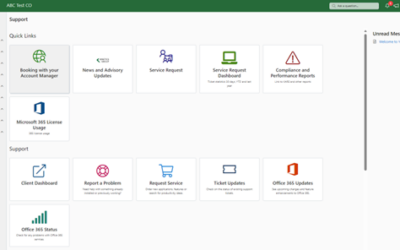
New reports in your Kinetics Portal
Thank you for the great feedback about our new client portal. Even so, we're not stopping there! We are already rolling out new capabilities to it. We're adding new reports, scheduled for availabilty in November. When you check your reports in the Client Portal,...

Webinar Replay: Are you (really) insured for a cyber-attack Trends in cyber- insurance and what you can expect
Are you (really) insured for a cyber-attack? Learn the latest trends in cyber- insurance and what you can expect.The latest CertNZ data tells us that 43% of cyber-attacks in NZ were aimed at small business. Even worse is the number of businesses that cease trading as...

Oh no, the worst has happened! Now what?
When we talk to people about the different risks that their organisation might face, one of the events that has the highest likelihood, and would have the biggest impact, is a significant cyber-event. The worst-case scenario would be a ransomware event, where the bad...

What can you expect in Windows 11 Update 24H2?
Enhancing User Experience with the Latest Microsoft Update for Windows 11.Microsoft has recently unveiled a new release that promises to bring a host of improvements and features designed to enhance user experience and performance. This release includes several...

The History and Innovations of Bluetooth and NFC: Understanding Their Potential and Risks
Bluetooth and NFC share several similarities. Both technologies utilise short-range wireless communication to facilitate the exchange of data between devices without the need for physical connectors. They have revolutionised modern conveniences such as contactless...
New Features in Microsoft Teams Whiteboard
Recent updates to the Microsoft Teams Whiteboard app bring whiteboard interactivity to Teams meetings. Sticky Notes: Easily add and move sticky notes around the board to organize thoughts and ideas. This is particularly useful for brainstorming sessions and agile...