Data Leak Protection (DLP)
is the name of several policies in Office 365, setting up what data can, and can’t be, shared and with whom.
Imagine being able to automatically identify private information like passport numbers, Health IDs or bank account details and make sure that those are only being shared with people that are authorised to see them.
The good news is that you can do this with 365, provided you turn on the policies and set them up correctly, and monitor when data is shared.
Under the NZ Privacy Act, we’re all expected to take care of personal data entrusted to us and to make sure it’s only used for the purpose for which is being obtained.
With Office 365, there’s no excuse for that to be breached provided that we understand what data should be kept, what might be kept incorrectly, and how its being shared. With this we can set up rules to monitor your Office 365 system and report on how records are shared.
We include a basic set up of DLP in our KARE for Security S2 plan to get you started.


OFFICE 365 IS DEAD. LONG LIVE MICROSOFT 365
This week, some guy we hadn’t heard of made a big change to the products we all use. He renamed them. So in reality, everything keeps working as it did before. But what appears on invoices and quotes will change. We’ll take a little while to get used to these new...
Kinetics provides an Essential Service!
As updated by the Cabinet yesterday, helping you to work from home is an essential service. That doesn’t mean business as usual though. We’re well aware that we need to fight this virus together. KINETICS is able to visit customer sites when necessary to ensure work...
Remote Working Tips and Tools
Working from home is different. Managing staff working from home is also quite different. Here are a few tools to assist: 1. Is everyone working ok? Do we know where they are and what they need? How do we discharge our Duty of Care to our colleagues? Introducing...
Slow Cloud? The race to Remote Work
Coronavirus in NOT a conspiracy by the tech-industry to get everyone to the cloud. Imagine trying to get your workforce to work remotely without the cloud, and without ubiquitous connectivity like UFB. Those screeching dial-up modems that disconnected all the time...

SIM Swapping Hijacking Cybercrime defeats (some) Multifactor Authentication
Today, its absolutely vital that you have multi-factor authentication on every key website you access, especially banking ones. In some cases, the multi-factor response is by way of a SMS text message sent to your phone, that you then enter into the website. Imagine...
Top Microsoft Teams Tips to Keep Your Team Together
People are already feeling strain with the rapidly changing face of Covid-19. Stress and tensions are naturally high and for many organisations this could be first time they have asked people to work remotely for extended periods. It’s definitely not our New...

Making it Work When Working From Home
Working remotely can be invigorating from time to time, but there’s a reason why we don’t do it permanently. If we’re forced to work remotely for a long period, how do we overcome isolation effects? Working together in an office has a number of social benefits. You...
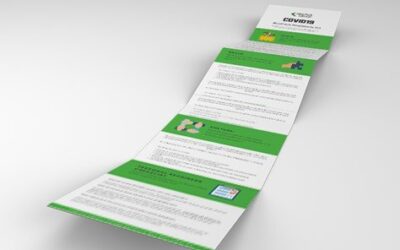
Get a free copy of our COVID19 Business Readiness Kit
In this kit,we’ll take a look at how you can effectively check your systems, processes, and people are ready for the impacts of COVID19. We’ll explore the key things you need to consider relating to: The tools you use and how...
Covid-19 (CoronaVirus) and your IT
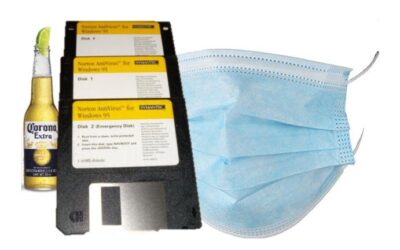
No amount of AntiVirus software will help with this one! Whether this is a "Black Swan" event or not, it's certainly having an impact. As I write this, there are stories of panic buying of hand sanitiser and face masks at the local supermarkets. That means it's...

Google Chrome – Urgent Security Warning
Security Advisory – Google Chrome Google has reported a security issue in the Chrome browser. This issue is known to attackers and it is already being exploited by some. All versions of Chrome are affected. Google have released an update for...