
Password Vaults and You
With more and more websites necessary for our everyday activities, it’s getting harder and harder to manage passwords. By now, you will know not to write passwords on post-it notes and paste them on your screen. It’s not uncommon for most people to use the same username and password on a number of sites, particularly on sites we think are less important – for example, hotel websites or some news sites. However, this is a dangerous game to be playing with your information and cyber security.
The problem is that when (not if) your information gets breached, your username and password get into the hands of bad actors who poke and prod other sites on the internet, and test where else you may have used one of these passwords, or a simple variation.
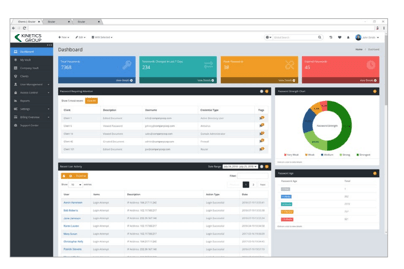
Of course, this is a cyber security challenge. We cannot easily remember hundreds of passwords, especially complex ones. We need an easy way, and we have a solution. A password vault.
But then the question you will ask is, “what happens if the vault is breached?” You need a super-secure vault. Something that easily remembers, (and creates) complex passwords for you and your colleagues – personal and work – and operates on Windows, Mac, and mobiles. It needs to be SOC2 certified so you know it’s secure.
What can a password vault offer you?

- No more remembering dozens of passwords
- Faster access to websites and applications
- Centralised system for both corporate and personal passwords
- Folders to organise and categorise credentials
- Automatic generation of audits and reports to help with tracking and compliance
- Improve the cyber security you provide your colleagues by promoting a password management system you trust
- Use strong password strings to thwart hackers
- Receive a notification of all the passwords of departing employees so clients can remove their access to company systems
- Give clients the tools to granularly grant employee access to employee systems and networks
- Meet compliance measures with comprehensive auditing and reporting capabilities
- Users can access their Site credentials quickly and easily through the native mobile apps on iOS and Android®, auto-fill to log in to websites, and apps on mobile devices
- Cross-browser extension for Google, Chrome, FireFox, Edge, and Chromium-based browsers
What’s your next step?
We’ve created a simple 9-point checklist to help you navigate the cyber-risk landscape and find the right digital security solution for you.
Kinetics can offer you a KARE Password Vault as part of KARE for Security S2 plan or you can subscribe to this standalone for $20 + GST per month for 5 users
Find out more about our Cyber Security Plans here
Is Cyber Security important at work? What about Working from Home (WFH)?
The best way that security can be managed when Working From Home (WFH) is to ensure the WFH devices are known to be patched, have AV, and are monitored. There is always going to be a risk if the device is not monitored as you won’t know what the patch/AV status is,...

What to do when the proverbial hits the fan?
What should you do when ‘Evil Corp’ comes to call? (Yes, that’s a real name.) By now, its well understood that hackers and cyber-criminals are busy and it’s only a matter of time before they hit you. They will keep trying and trying and whether they succeed, or...

Webinar : Protect your business from cyber attacks
Since Covid-19, there has been a surge in ransomware and cyber-attacks in New Zealand. For almost 25 years, Kinetics has specialised in providing comprehensive cyber security solutions and staff training to a broad cross section of the business community. Learn...

Drowning in eMail – survive the flood
It’s hard to believe there was once a world with eMail. Working from Home meant we couldn’t talk to colleagues as easily as we used to. Some messaging moved to tools like Teams, and that cut email traffic, but others stayed in eMail and inboxes were flooded. Do you...

Webinar : Winning with real-world Digital Business Transformation
As a result of Covid-19, many organisations have become a lot leaner and the new normal means doing more with fewer resources. What if your organisation could quickly achieve the following: Save money on IT expenditure – while baking in a future proof IT strategy...

Researchers Find New Calendar-Based Phishing Campaign
The latest email scam looks like a calendar attachment. It’s a phishing attack intended to get you to click on something that isn’t what it seems to be – in this case an ICS calendar invitation. It is the same kind of thing as before, except rather than being a DOC...

Need to manage and minimise your Microsoft 365 costs?
In these uncertain times, everyone is reviewing their costs. Kinetics is very pleased to say that we are now able to help you quickly review your Microsoft 365 licensing. As Microsoft has improved the availability and quality of information Kinetics can access, we...
No one is completely immune!
Hackers can strike anyone. If well-resourced organisations like Honda, Lion NZ and Fisher & Paykel Appliances can fall victim to hackers, then anyone can. I don’t have specific knowledge of what happened at these organisations, but it’s a safe bet they are well...

Maximum Power in Windows (aka extending battery life)
Many of us now rely on laptops and we are used to finding the battery runs out of charge all to quickly. Windows pops up a warning saying the battery is running low, and the pressure goes on you to finish up your work before the battery expires. Inevitably when this...

Stay COVID safe (or what COVID taught us about IT security)
Coronavirus isn’t the only virus causing harm. Hackers have been busy trying to trick us into clicking on their fake websites and getting infected with Malware. They’ve had fake donation sites, particularly a fake World Health Organisation fund, fake COVID-19 maps...